A ten-page text document might be 80 kilobytes. A ten-page brochure might be 80 megabytes — a thousand times bigger for the same page count. The difference is almost never the text. Here is what actually fills up a PDF and how to bring a bloated one back down.
A PDF's size comes down to what is inside it, and text takes up almost no room at all. The weight is in everything else: images, fonts, and leftover data from however the file was made. Understanding which of these is inflating your file tells you exactly what to fix.
In a large PDF, images are nearly always the reason. A page of text is tiny; a single high-resolution photo can be larger than a hundred pages of writing. The problem multiplies when images are stored at far higher quality than the document needs — a brochure meant to be viewed on a screen does not need print-shop-resolution photos, but if it was built from print files, that is exactly what it carries.
Scanned documents are a special case. Every page is a full image, so a scanned report is heavy no matter how little text is on each page — the file has no idea those are "words," only that they are pictures.
Embedded fonts add weight, especially when a document uses several typefaces and embeds the complete character set of each rather than only the letters actually used. Beyond that, files accumulate invisible baggage: earlier versions of edited content, metadata, form data, and structural cruft from the software that created them. None of it shows on the page, but all of it counts toward the size.
The main lever is image compression — reducing image resolution and quality to match how the file will actually be used. A document headed for email or screen viewing can shed enormous size with no visible difference, because the eye cannot see detail that the screen cannot display anyway. Print is the exception; there, aggressive compression shows.
Beyond images, cleaning out unused fonts, old revisions, and leftover metadata reclaims space and has the side benefit of removing hidden data you may not want to share. If a file is still huge after compression, it is almost certainly a stack of scanned image pages — and the only real fix there is to scan at a more reasonable resolution next time.
Drop your PDF in, run the compress job, and pay a dollar once it is ready. You get the smaller file back to download — the same document, just lighter, with no watermark added.
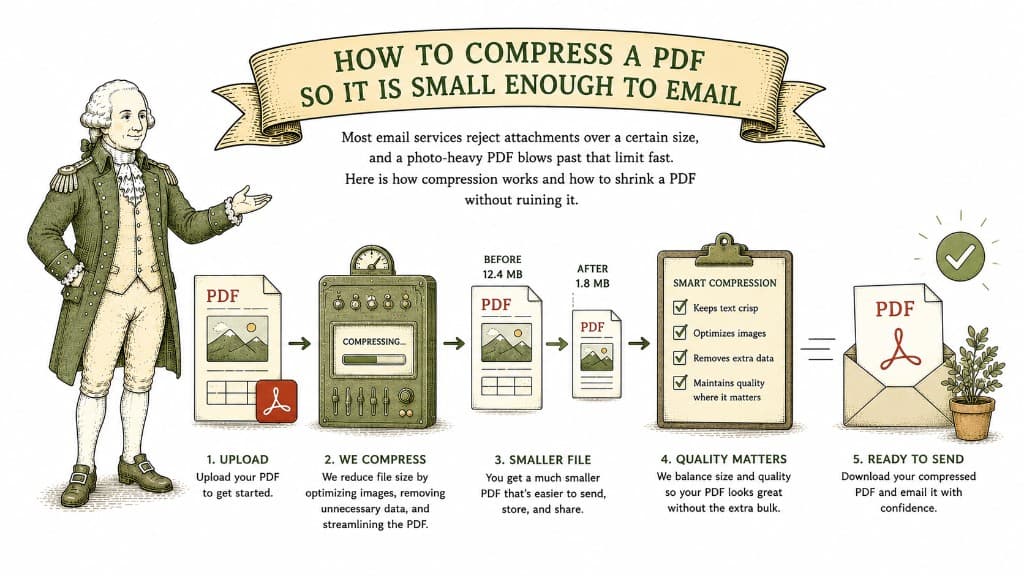
Most email services reject attachments over a certain size, and a photo-heavy PDF blows past that limit fast. Here is how compression works and how to shrink a PDF without ruining it.
3 min read

One can shrink a file with no visible loss; the other trades away detail you cannot get back. Knowing which one a tool is doing tells you what you are about to lose.
3 min read
You need it smaller, but you do not want photos that look like they were faxed. Here is how to hit an email-friendly size while keeping the file looking good.
3 min read
