"Compress" and "reduce quality" get used as if they mean the same thing, and a lot of tools blur the line on purpose. They are not the same. One can shrink a file with no visible loss; the other trades away detail you cannot get back. Knowing which one a tool is doing tells you what you are about to lose.
There are two ways to make a PDF smaller, and they differ in whether anything is permanently thrown away. Lossless compression repacks the file more efficiently without discarding information — like vacuum-sealing a suitcase, everything is still there, just tighter. Lossy reduction actually deletes detail to save space — like leaving clothes behind to make the bag lighter. Most real-world compression mixes both, but the distinction is what matters.
Lossless methods find waste and remove it without touching what you see. They strip out duplicate data, clean up inefficient structure, drop unused fonts and leftover revisions, and store everything more compactly. The page looks pixel-for-pixel identical afterward because nothing visible was removed — only redundancy and hidden baggage. This is the "free" win: smaller file, same appearance.
The catch is that lossless compression only gets you so far. Once the waste is gone, the file is as small as it can be without sacrificing anything, and on an image-heavy document that may not be small enough.
To go further, a tool has to start discarding actual content — and on a PDF that almost always means images. It lowers their resolution and re-saves photos at lower quality, permanently throwing away detail. Done in moderation for a file that will only be viewed on screen, the loss is invisible, because the screen could not show that detail anyway. Pushed too far, or applied to a file meant for printing, it shows up as blurry photos and fuzzy text.
The key word is permanent. You cannot compress a file, decide it looks bad, and recover the original detail from the smaller version — that information is gone. Always keep the original.
A tool that promises a dramatic size reduction is doing lossy work — there is no other way to get there on an image-heavy file. A modest reduction with "no quality loss" is lossless. Match the choice to the destination: for email and on-screen viewing, lossy compression to a reasonable level is the right call and the loss is invisible. For anything going to print, stay light or lossless. And whatever you do, keep the original file, because the small version cannot be turned back.
Drop your PDF in, run the compress job, and pay a dollar once it is ready. You get the smaller file back to download — and you keep your original, since a compressed copy cannot be reversed.
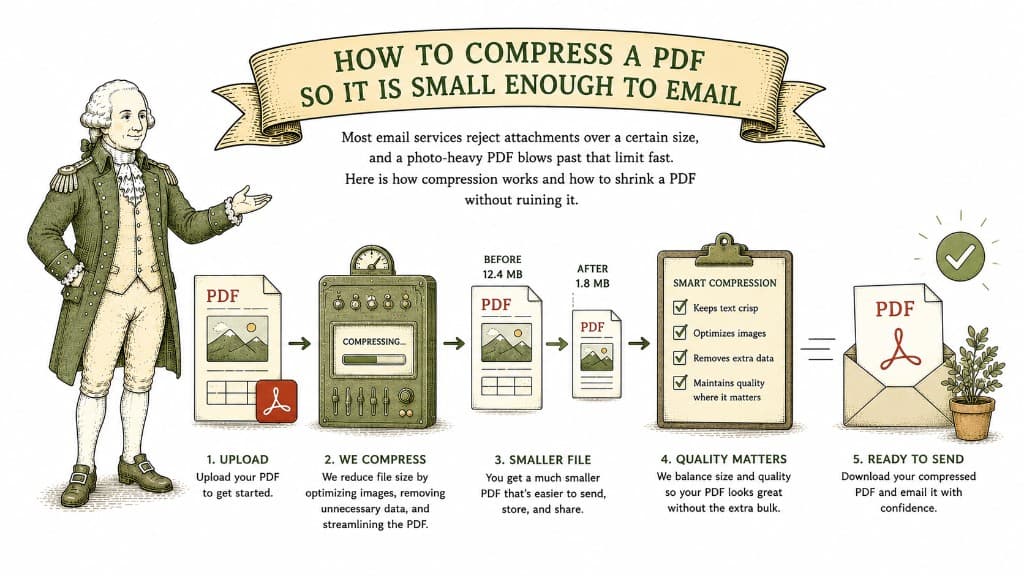
Most email services reject attachments over a certain size, and a photo-heavy PDF blows past that limit fast. Here is how compression works and how to shrink a PDF without ruining it.
3 min read

A ten-page text document might be 80 kilobytes; a ten-page brochure might be 80 megabytes. Here is what actually fills up a PDF and how to bring a bloated one back down.
3 min read
You need it smaller, but you do not want photos that look like they were faxed. Here is how to hit an email-friendly size while keeping the file looking good.
3 min read
