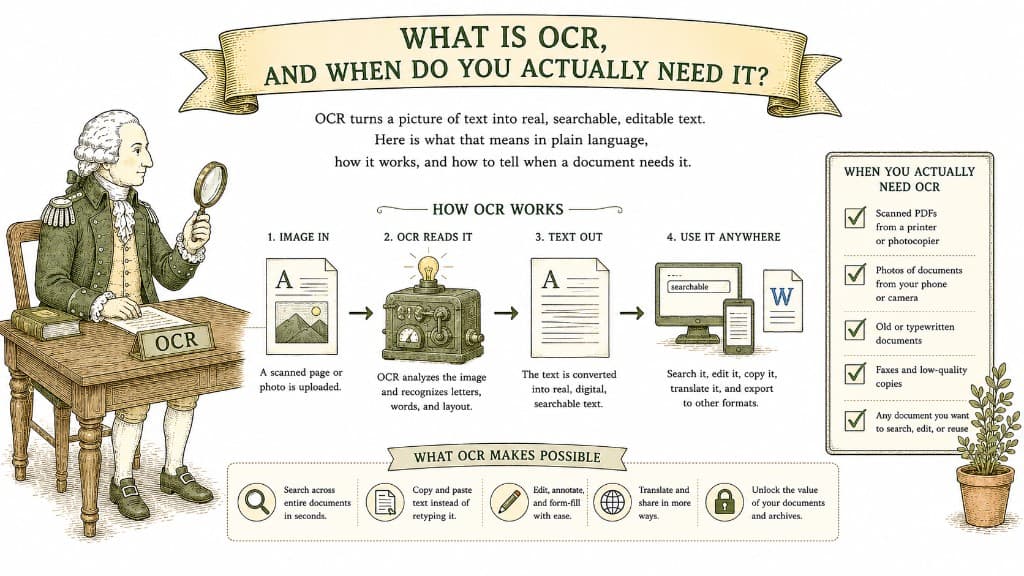
Here is a quick test. Open a PDF and try to select a single word with your cursor. If you can highlight it, the document already has real text. If your cursor just selects the whole page like a photograph, you are looking at a picture of text — and to do anything useful with the words, you need OCR.
OCR stands for Optical Character Recognition. In plain terms, it looks at an image of text and figures out which letters and words are in the picture, then writes them out as real, editable text. As Adobe describes in its overview of OCR, it is the technology that turns a static scan into a smart, searchable file.
Before OCR, a scanned contract was just a picture. You could look at it, but you could not search it, copy a clause out of it, or convert it cleanly to Word. OCR bridges that gap by adding a real text layer behind the image.
You need OCR when your document is image-based and you want to do something with the words inside it:
You do not need OCR when your document already has selectable text. Most files exported from a computer — anything saved directly to PDF rather than scanned — already have it.
OCR is good but not magic, and the quality of the input decides the quality of the output:

A scan is a photograph of a page — you can see the words, but your computer just sees pixels. Making a scan editable means teaching the computer to read it.
3 min read
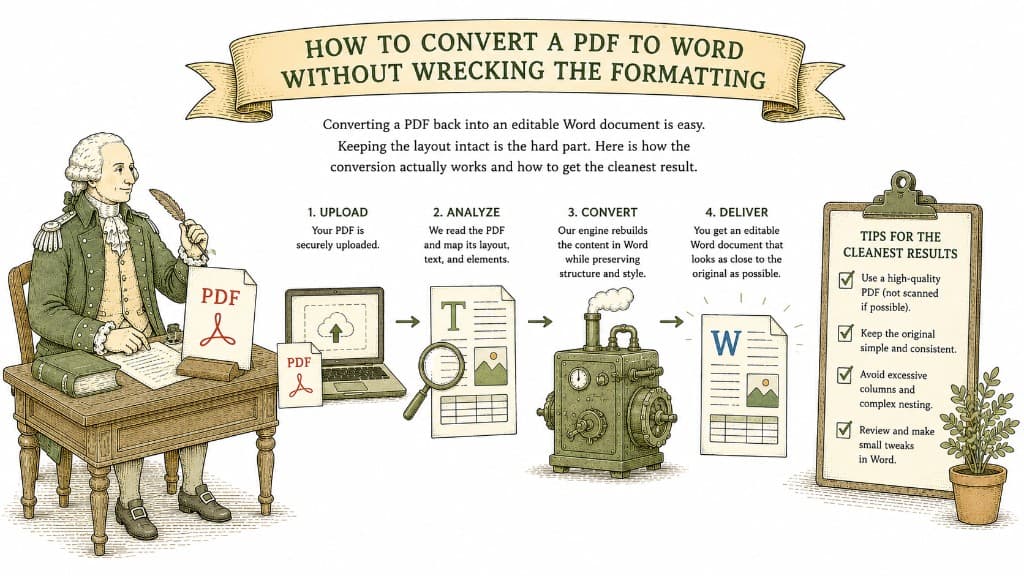
Converting a PDF back into an editable Word document is easy. Keeping the layout intact is the hard part. Here is how the conversion actually works and how to get the cleanest result.
3 min read
A PDF table looks like a spreadsheet but behaves like a picture. Here is what a good PDF-to-Excel conversion actually does, and how to get clean columns instead of a mess you have to retype.
3 min read