A scan is a photograph of a page. You can see the words, but your computer just sees pixels — which is why you cannot select, search, or edit the text. Making a scan editable means teaching the computer to read it. Here is how that works and where it goes wrong.
The technology that reads text out of an image is called OCR — optical character recognition. It looks at the shapes in the picture, matches them to letters, and produces real, selectable text. Without it, a scanned PDF is a wall of images; with it, the same file becomes searchable, copyable, and editable.
OCR works best when the page is clean and the type is ordinary. It scans for shapes it recognizes as characters, assembles them into words using a dictionary to resolve ambiguity, and lays the recognized text invisibly behind the image so the page still looks identical but is now searchable underneath.
That dictionary step is why context matters. OCR is more confident about "the meeting" than about a random product code, because the surrounding words help it choose between a lowercase "L" and the number "1," or between a capital "O" and a zero.
Quality in, quality out. A crisp 300-dpi scan of printed text converts almost flawlessly. A crumpled receipt photographed at an angle in dim light converts badly. The usual culprits are low resolution, skew, shadows, faint ink, and unusual fonts. Handwriting is the hardest of all — general OCR handles neat printing far better than cursive, and messy handwriting may not convert usefully at all.
Tables and multi-column layouts add another challenge, because the text might be read in the wrong order — across columns instead of down them — even when each individual word is recognized correctly.
Feed OCR the best image you can. Scan at a higher resolution rather than a lower one, straighten the page, and get even lighting if you are photographing rather than scanning. If you have any choice in the matter, a flatbed scan beats a phone photo, and a phone photo taken straight-on in good light beats one taken at an angle.
After OCR, always proofread numbers and names. These are exactly the places where a single misread character does the most damage and where the dictionary cannot help, because a name or an account number is not a word it can check.
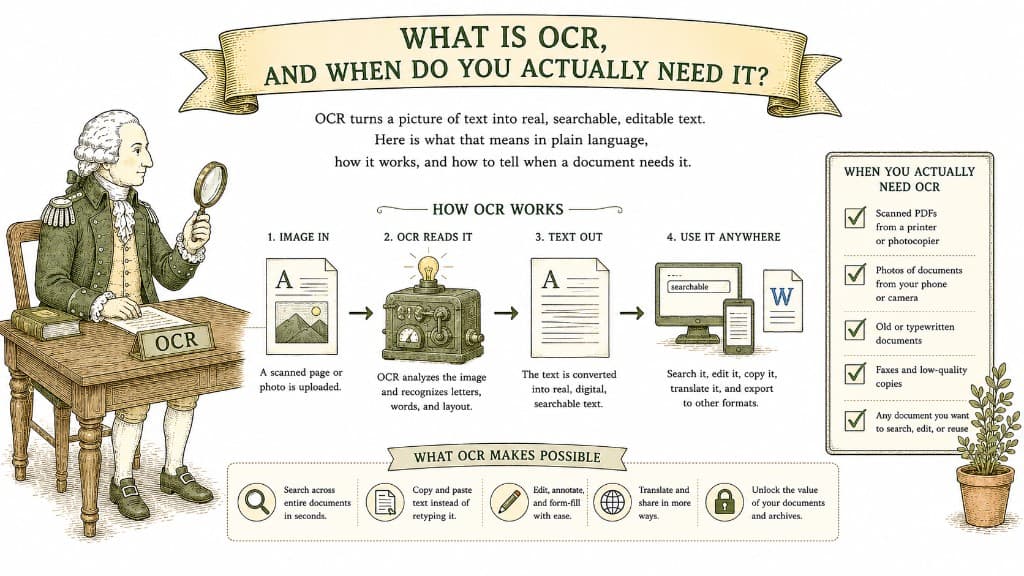
OCR turns a picture of text into real, searchable, editable text. Here is what that means in plain language, how it works, and how to tell when a document needs it.
3 min read
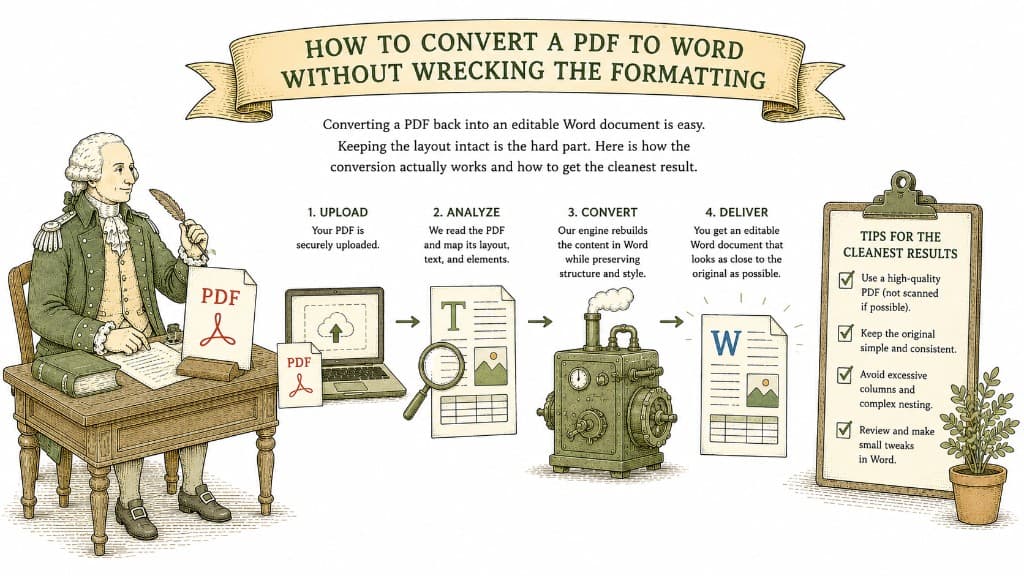
Converting a PDF back into an editable Word document is easy. Keeping the layout intact is the hard part. Here is how the conversion actually works and how to get the cleanest result.
3 min read

A PDF table looks like a spreadsheet but behaves like a picture. Here is what a good PDF-to-Excel conversion actually does, and how to get clean columns instead of a mess you have to retype.
3 min read
