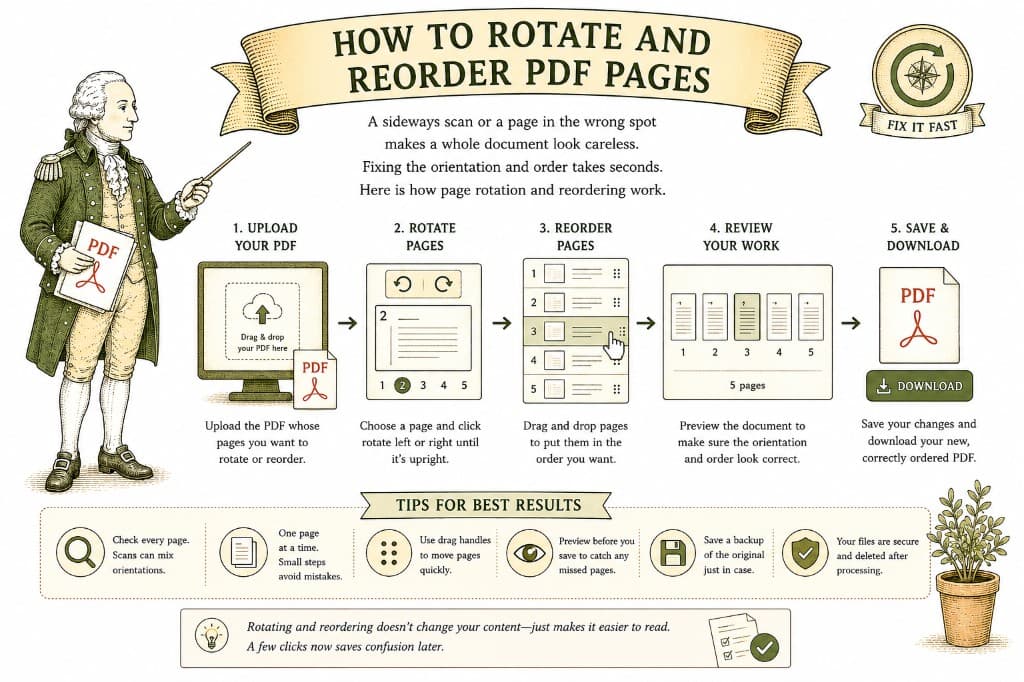
You scan a stack of paper, open the PDF, and half the pages are lying on their side. Or you finish a report and realize the summary ended up after the appendix instead of before the introduction. These are tiny problems that make a document look sloppy — and both are quick to fix.
There is an important difference between turning a page to read it and rotating it permanently. Your PDF viewer often lets you spin a page on screen, but that only changes how you are looking at it right now. Send the file to someone else and it is sideways again.
Permanent rotation saves the new orientation into the file itself. The page comes out upright for everyone, every time, on every device. That is what you want before sharing or printing a document with sideways scans.
Reordering changes the sequence the pages appear in. The clearest way to do it is visually, using thumbnails — small previews of each page that you can drag into the right order. Working from thumbnails means you are arranging what you can see, which makes it much harder to put a page in the wrong place.
Common reordering jobs include moving a cover page to the front, pulling a misfiled page back to where it belongs, or reversing pages that scanned in backward.
Open your PDF, rotate the pages that need it, drag pages into the order you want, and save. Pay a dollar once it is ready, and download the corrected file — upright and in order, with no watermark.
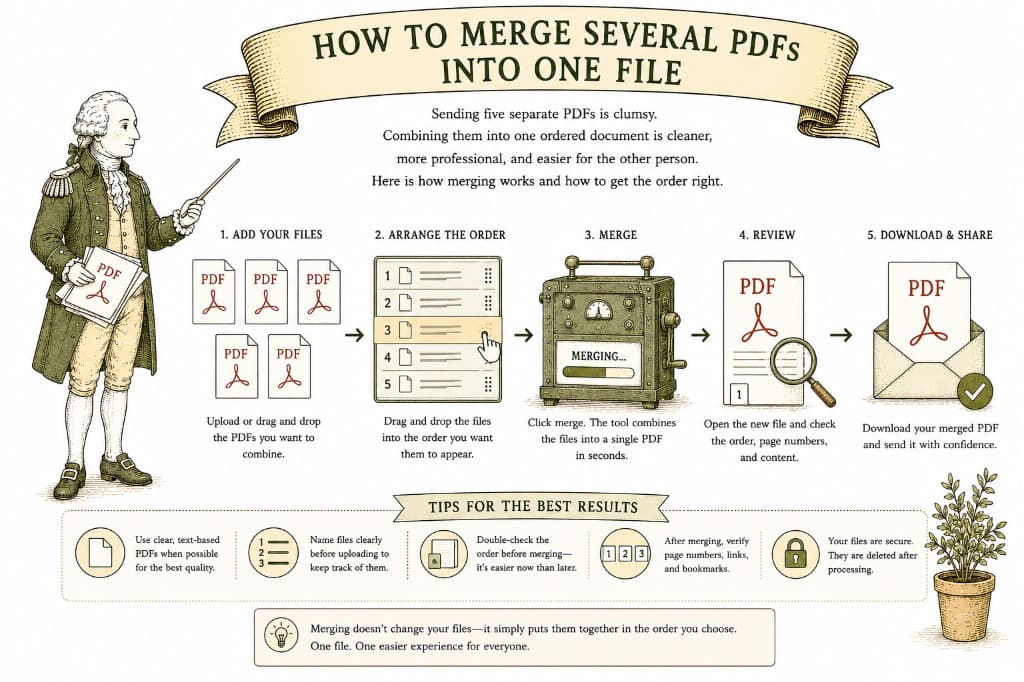
Sending five separate PDFs is clumsy. Combining them into one ordered document is cleaner, more professional, and easier for the other person. Here is how merging works and how to get the order right.
2 min read
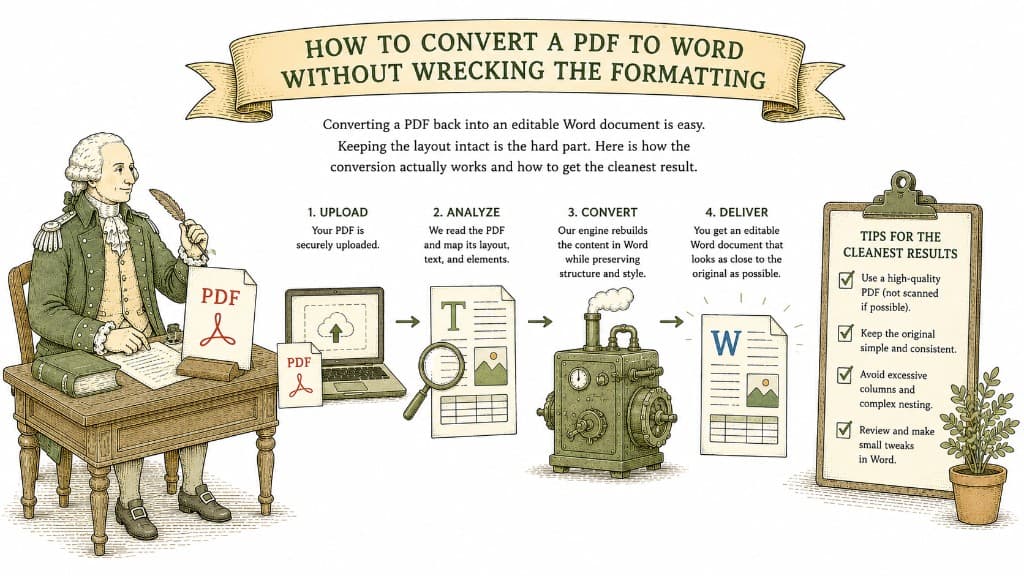
Converting a PDF back into an editable Word document is easy. Keeping the layout intact is the hard part. Here is how the conversion actually works and how to get the cleanest result.
3 min read

A PDF table looks like a spreadsheet but behaves like a picture. Here is what a good PDF-to-Excel conversion actually does, and how to get clean columns instead of a mess you have to retype.
3 min read