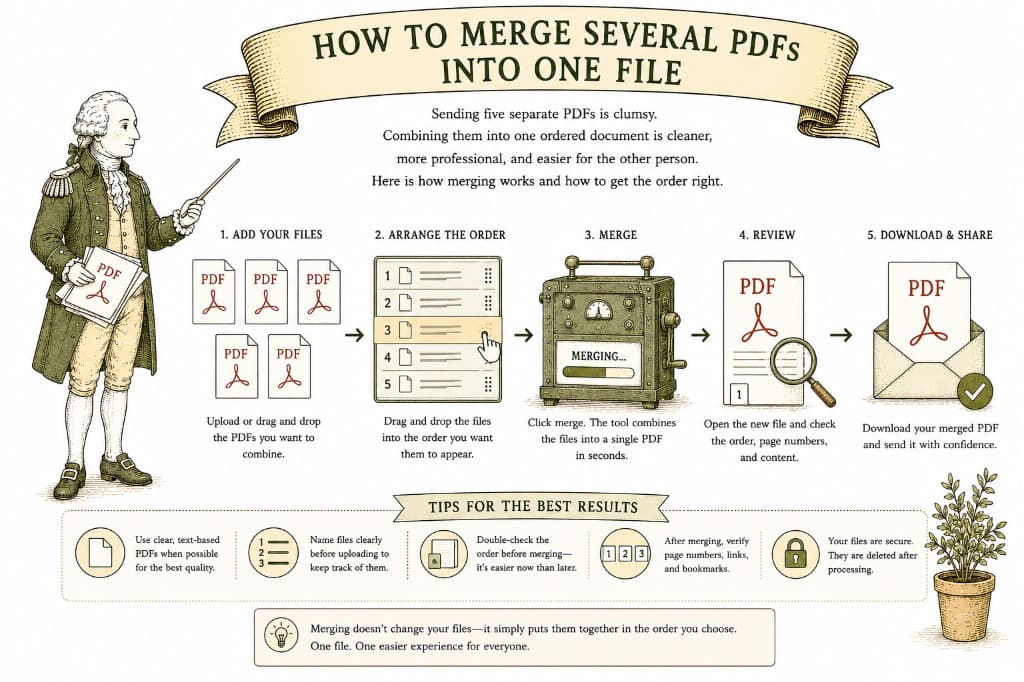
A merged PDF is the difference between handing someone a neat folder and dumping a pile of loose papers on their desk. When you have a cover letter, a contract, and an appendix that belong together, combining them into one ordered file is simply more considerate — and more professional.
Attaching several files asks the other person to download each one, figure out the order, and keep them together. A single merged PDF does that work for them. It arrives in order, opens as one document, and cannot get separated. For applications, proposals, signed agreements, and reports, one file is almost always the better choice.
The single most important part of merging is getting the sequence right. Pages appear in the order you arrange the source files, so the time to think about order is before you combine, not after.
Drop in the PDFs you want to combine, drag them into the order you want, and merge. Pay a dollar once the file is ready, and download one clean, ordered document — the whole thing, no watermark.
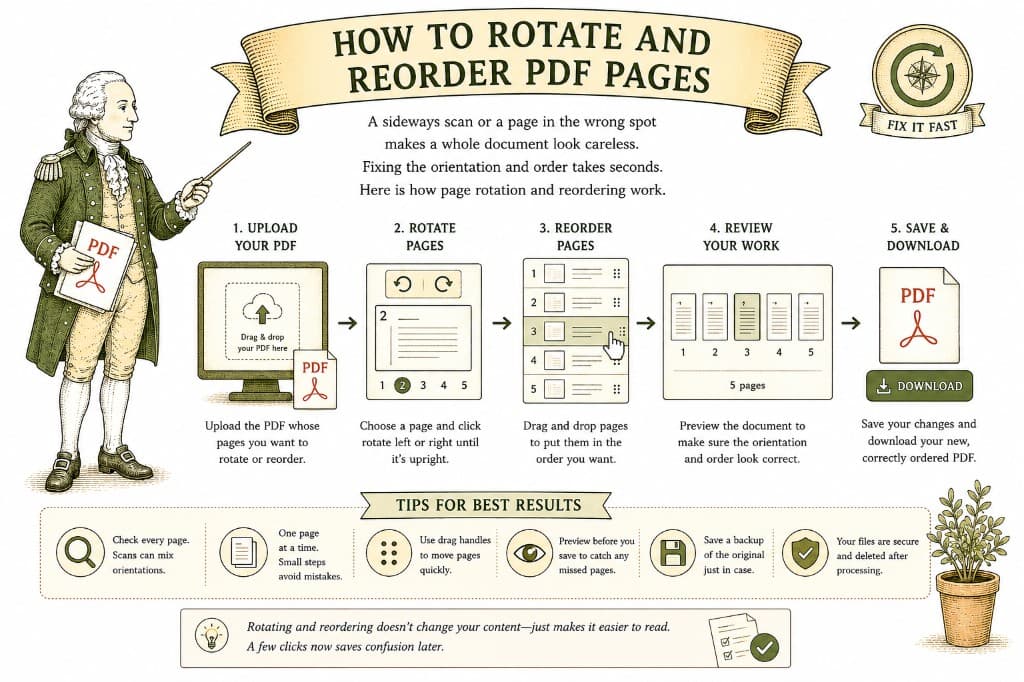
A sideways scan or a page in the wrong spot makes a whole document look careless. Fixing the orientation and order takes seconds. Here is how page rotation and reordering work.
3 min read

The person on the other end wants one clean document, not three attachments in three formats. Here is how to pull mixed files into a single, tidy PDF.
3 min read
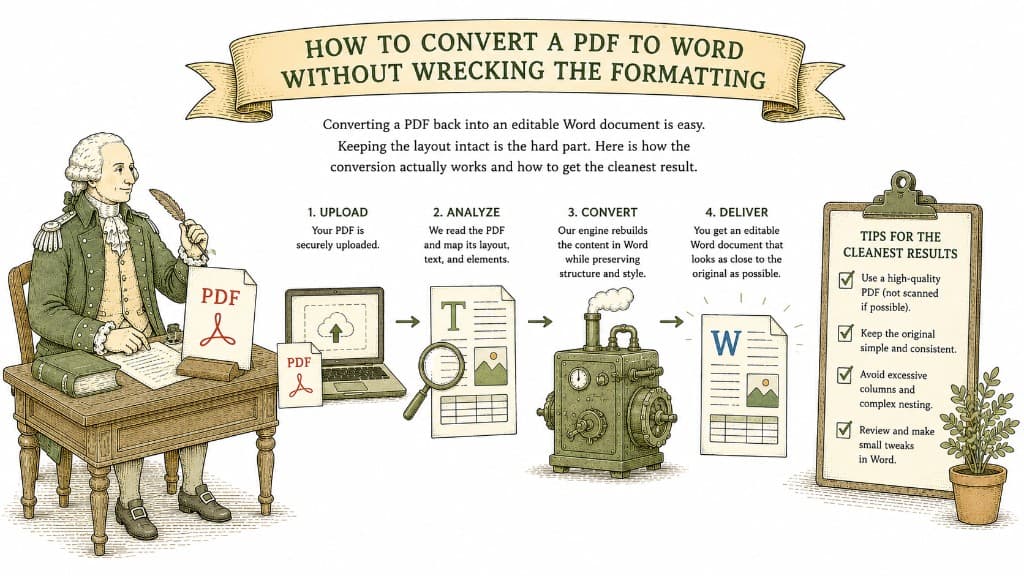
Converting a PDF back into an editable Word document is easy. Keeping the layout intact is the hard part. Here is how the conversion actually works and how to get the cleanest result.
3 min read