PDF/A shows up on government forms, court filings, and archival requirements, and most people have no idea what it means or ignore it entirely. It is not a trick to slow you down — it solves a real problem. Here is what PDF/A is, why it exists, and the one situation where you should actually care.
PDF/A is a stricter version of PDF built for one purpose: making sure a document still opens and looks the same decades from now. The "A" stands for archival. A regular PDF can rely on outside resources — a font installed on your computer, a link to a file elsewhere — that may not exist in twenty years. PDF/A bans those dependencies so the file is completely self-contained.
Imagine opening a contract from 1998 today and finding the text rendered in the wrong font because the original one is gone, or a signature image missing because it was linked rather than embedded. For everyday files this rarely matters — you use them and move on. But for records that must survive — legal documents, medical records, anything an organization is legally required to keep for years — "it might not open later" is unacceptable. PDF/A removes that risk by packing everything the file needs inside it.
To guarantee longevity, PDF/A enforces rules. Every font must be embedded in the file, not borrowed from the device opening it. No external links to content that could disappear. No encryption, no audio or video, no JavaScript — nothing that depends on software behaving a certain way in the future. The result is a heavier, plainer, but completely stable file.
Those same rules are why you would not use PDF/A for everything. A fillable form, an interactive document, or anything that relies on scripts cannot be true PDF/A, because the format strips those features out.
Almost never — until a form or institution specifically asks for it. Courts, government agencies, libraries, and some regulated industries require PDF/A for documents they must preserve. If you are submitting to one of those and the instructions say PDF/A, use it; a regular PDF may be rejected. If nobody has mentioned it, a standard PDF is the right choice, and converting to PDF/A "just in case" only strips out features you might want.
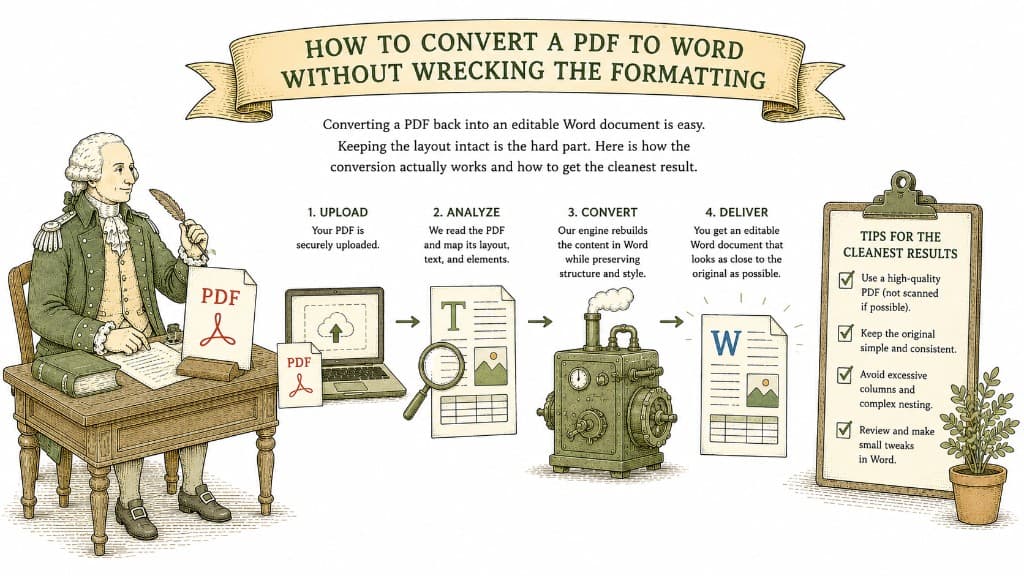
Converting a PDF back into an editable Word document is easy. Keeping the layout intact is the hard part. Here is how the conversion actually works and how to get the cleanest result.
3 min read

A PDF table looks like a spreadsheet but behaves like a picture. Here is what a good PDF-to-Excel conversion actually does, and how to get clean columns instead of a mess you have to retype.
3 min read
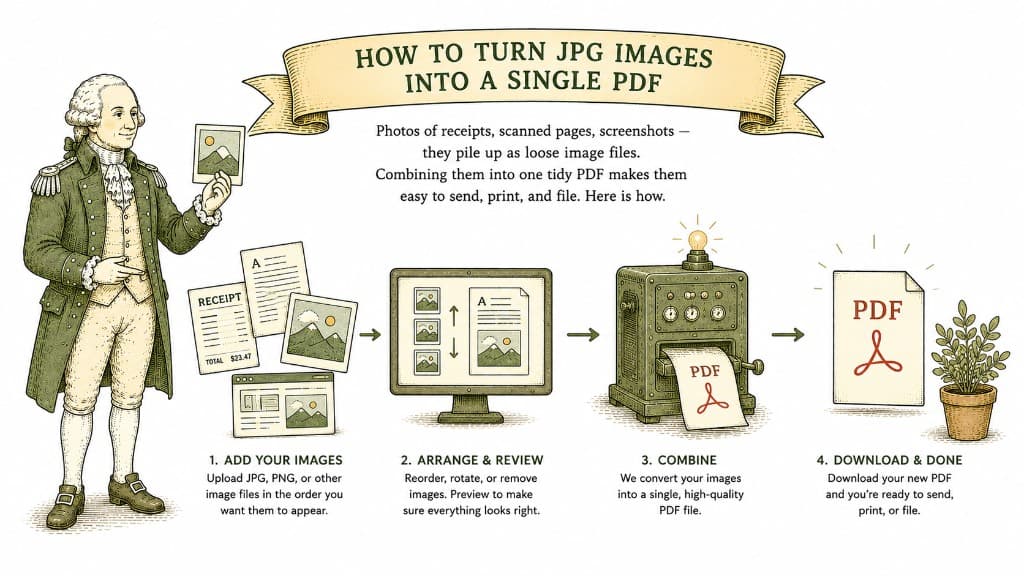
Photos of receipts, scanned pages, screenshots — they pile up as loose image files. Combining them into one tidy PDF makes them easy to send, print, and file. Here is how.
3 min read
