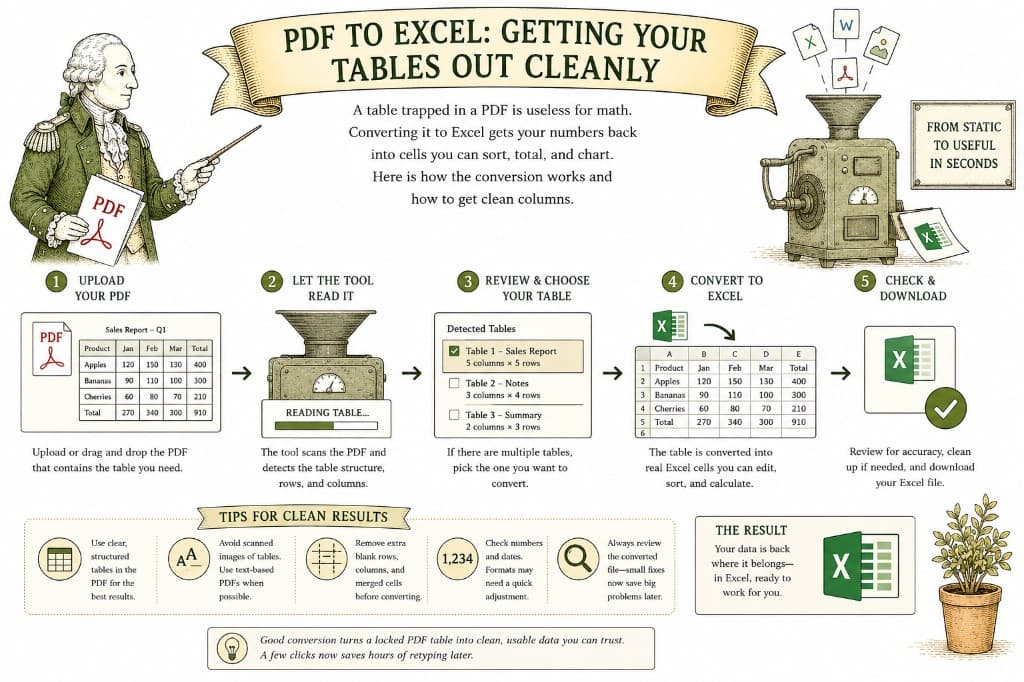
A spreadsheet is for doing things with numbers — sorting them, summing them, charting them. A PDF is for looking at numbers. When someone sends you a financial report or a price list locked inside a PDF, converting it to Excel is how you get those numbers back into cells you can actually work with, instead of retyping every row by hand.
Converting text from a PDF is reasonably easy. Converting a table is genuinely harder, because the converter has to do something subtle: figure out where each column starts and ends. In the PDF, the columns might be held apart by nothing more than empty space. The converter has to read that spacing correctly and rebuild the grid so each value lands in its own cell.
When this works, you get a clean spreadsheet. When the source is messy, a few values can land in the wrong column, which is why a quick check afterward is always worth it.
Drop your PDF in, choose Excel as the output, and pay a dollar once the file is ready. You get a real XLSX back — your tables in actual cells, ready to sort and total, with no watermark.

A PDF table looks like a spreadsheet but behaves like a picture. Here is what a good PDF-to-Excel conversion actually does, and how to get clean columns instead of a mess you have to retype.
3 min read
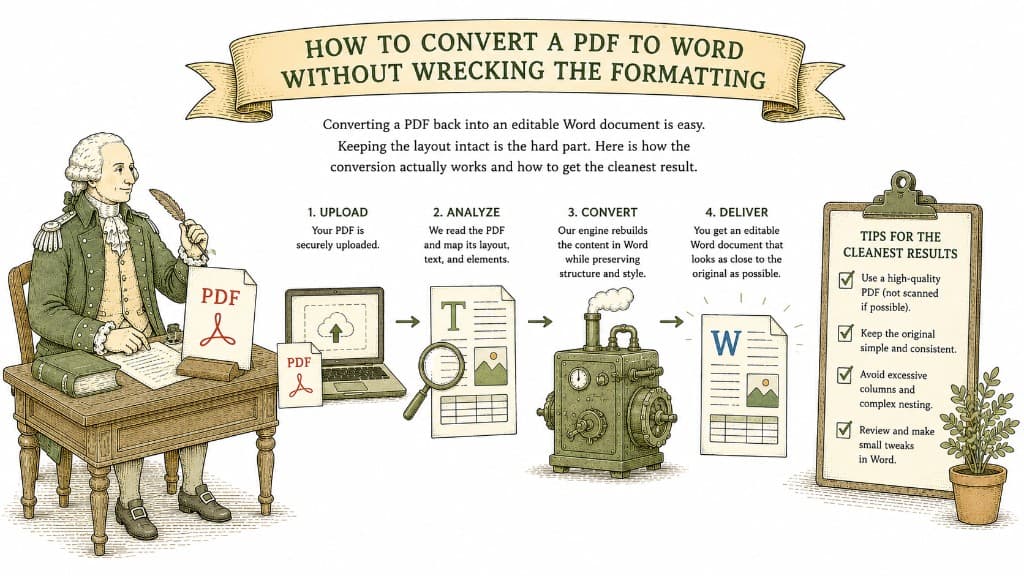
Converting a PDF back into an editable Word document is easy. Keeping the layout intact is the hard part. Here is how the conversion actually works and how to get the cleanest result.
3 min read
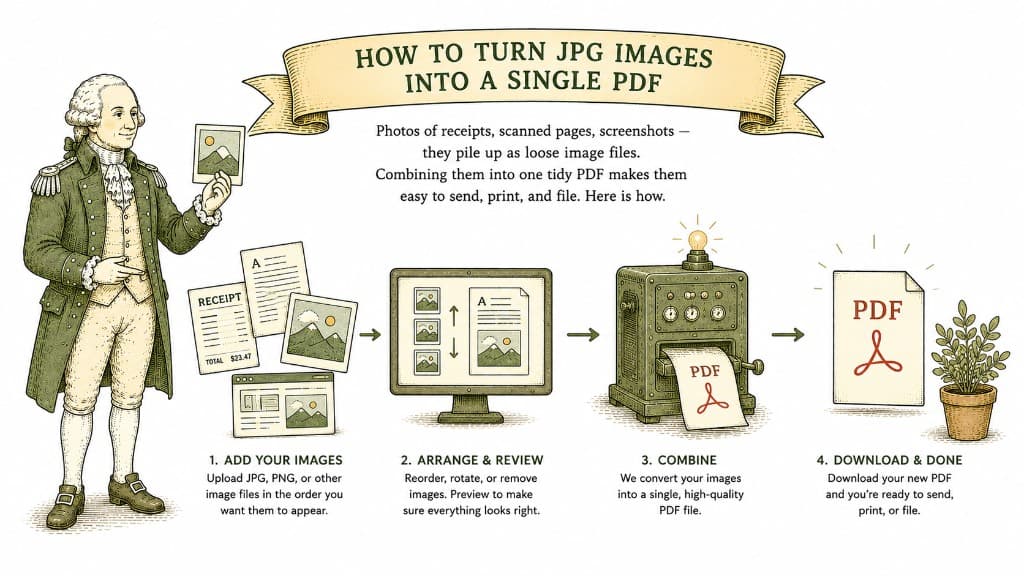
Photos of receipts, scanned pages, screenshots — they pile up as loose image files. Combining them into one tidy PDF makes them easy to send, print, and file. Here is how.
3 min read