Every PDF carries a layer of information you probably never typed and cannot see on the page — when it was made, what software made it, sometimes who edited it, and occasionally things you would rather not send. Here is what metadata is, why it is there, and how to clear it before a file leaves your hands.
Metadata is data about the document rather than the content of the document. A PDF quietly records details like its creation and modification dates, the program and sometimes the user that produced it, the title and author fields, and assorted technical tags. It rides along invisibly, which is exactly why it is easy to share more than you meant to.
Most metadata is added automatically. When you create or export a PDF, the software stamps in its own name, the timestamps, and whatever author information your account or system carries. Some of it is genuinely useful — a proper title and author help with searching and organizing files, and timestamps can establish when a document was finalized.
The trouble is the parts you did not choose. An author field might carry your full name or company when you meant to stay anonymous. A "modified" date might reveal a document was changed after a deadline. Software tags can hint at internal tools or workflows. None of it appears on the page, so it travels unnoticed.
For a casual file shared with a colleague, metadata is harmless. It matters when a document goes outside your circle — published online, filed with an outside party, submitted anonymously, or sent to someone who should not know who wrote it or when. In those cases the invisible layer can quietly contradict what the visible document says, or simply reveal more than intended about its origin.
Before sending a file externally, it is worth checking and clearing the metadata. The author and title fields can be blanked or set to something neutral. Software and timestamp tags can be stripped. Many tools can wipe metadata in a single pass, and doing so is good hygiene for any document leaving your organization — particularly anything sensitive, published, or meant to be anonymous. It costs seconds and closes a gap most people never think about.

If you own the document and know the password, removing it is straightforward. Here is how it works, and where the honest limits are.
3 min read
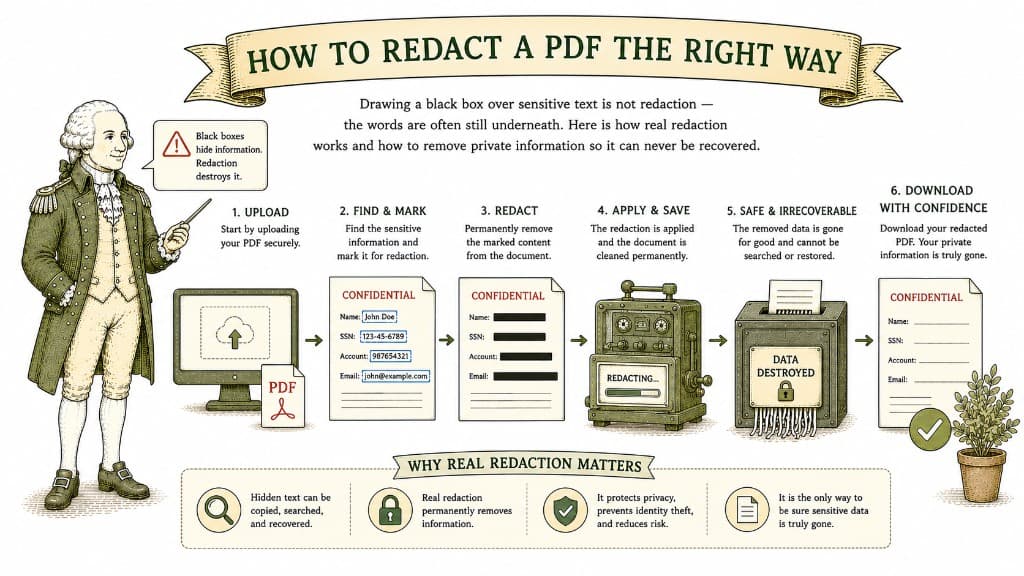
Drawing a black box over sensitive text is not redaction — the words are often still underneath. Here is how real redaction works and how to remove private information so it can never be recovered.
3 min read
Uploading a sensitive document to a website you found ten minutes ago is a real act of trust. Here is how to judge whether a tool deserves it before you hand over anything important.
3 min read
