The documents people most often need to convert are frequently the most sensitive — tax returns, pay stubs, bank statements, medical forms. Uploading one to a website you found ten minutes ago is a real act of trust. Here is how to judge whether a tool deserves it before you hand over anything important.
The honest answer is: it depends entirely on the tool, and you usually cannot tell from the homepage alone. A free converter and a careful one look identical at first glance. The difference is in what happens to your file after you upload it, and that is worth a minute of checking before you upload a W-2.
A trustworthy tool will answer a few things clearly. How long is my file kept? The best answer is a short, automatic window — your file is processed and then deleted within an hour or two, with no manual step required to make it disappear. Is my file read, scanned, or used to train anything? The answer you want is no — the file is touched only to do the job you asked for. Is the connection encrypted? A secure site protects the file in transit so it cannot be intercepted on the way.
If a service does not state its retention and privacy policy plainly, that silence is itself an answer.
Be cautious when a "free" tool requires an account and your email before it will return your file — you are paying with data, and a sensitive document is a high price. Be cautious of tools that are vague about deletion, or that bury data-use terms in a long policy. And be cautious of any site that feels thrown together, has no clear ownership, or makes promises that seem too generous to be sustainable — running secure servers costs money, and a tool with no visible way of covering that cost is worth a second thought.
You have options beyond trusting blindly. For the most sensitive files, consider whether you can do the job offline on your own device instead of uploading at all. If you do upload, you can sometimes redact the most sensitive numbers first — though redaction must be done properly, not with a black box drawn over text that is still underneath. And after the job is done, prefer tools that delete automatically over ones that leave your file sitting on a server indefinitely.
This article touches on protecting sensitive personal and financial information. The right level of caution depends on your situation; when a document is high-stakes, err toward the more careful option.

If you own the document and know the password, removing it is straightforward. Here is how it works, and where the honest limits are.
3 min read
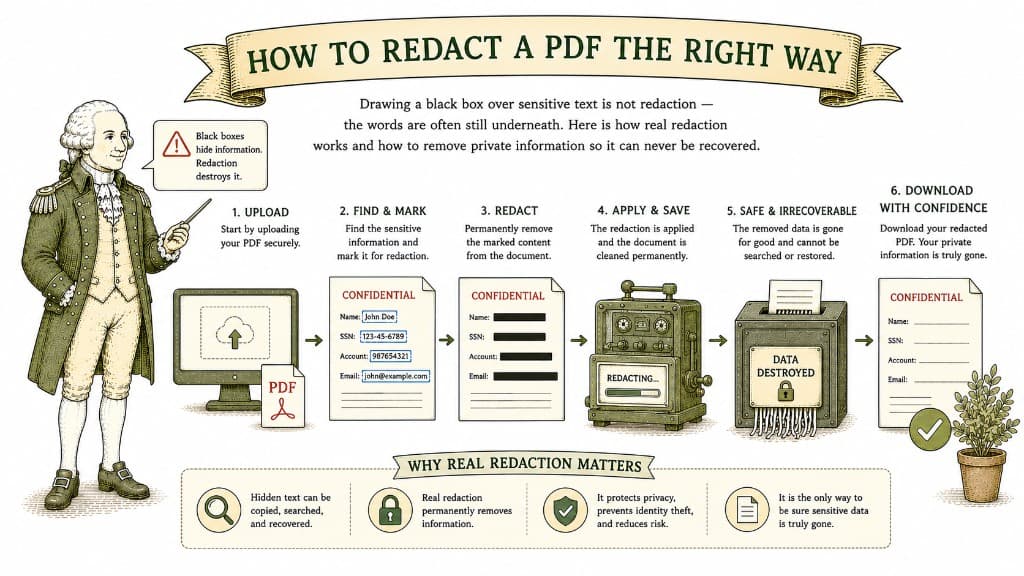
Drawing a black box over sensitive text is not redaction — the words are often still underneath. Here is how real redaction works and how to remove private information so it can never be recovered.
3 min read
A password is the simplest layer of protection you can add to a document. Here is what a PDF password actually does, what it does not do, and how to use it without locking yourself out.
3 min read
