Real-world packets are rarely one file type. You have a cover letter in Word, a budget in Excel, and a signed form you scanned — and the person on the other end wants one clean document, not three attachments in three formats. Here is how to pull mixed files into a single, tidy PDF.
The trick is that everything has to become a PDF first, then the PDFs get merged in order. PDF is the common format that holds layout no matter what created the original — so a Word doc, a spreadsheet, an image, and a scan can all be turned into PDF pages and stitched together into one file that looks deliberate rather than improvised.
Each file type converts a little differently, and each has a pitfall worth knowing.
A Word document converts cleanly as long as you check that nothing reflows — long tables and unusual fonts are the usual surprises. A spreadsheet is the tricky one: a wide sheet can spill across many pages or shrink to unreadable size, so set the print area and page layout before converting rather than fixing it after. An image or photo becomes a PDF page directly. A paper document you scanned is already an image, and is worth running through OCR if you want its text to be searchable in the final packet.
Once every piece is a PDF, merging combines them into one file. Order is the thing people get wrong. Decide the sequence before you merge — cover letter first, then the main content, then supporting documents and the signed form — so the reader moves through the packet the way you intend. Getting the order right up front is faster than merging, noticing the scan landed in the middle, and starting over.
A few small touches separate a clean packet from a clumsy one. Make sure page orientation is consistent, or at least deliberate — a single landscape spreadsheet page in a portrait packet is fine if it is meant to be there, jarring if it is an accident. Check that the spreadsheet pages are readable at the size they ended up. And give the final file a clear name rather than something like "merged(3).pdf," because the filename is the first thing your reader sees.
Once each piece is a PDF, drop them into the merge tool, set the order you want, and pay a dollar once it is ready. You get one combined PDF back to download — no watermark added.
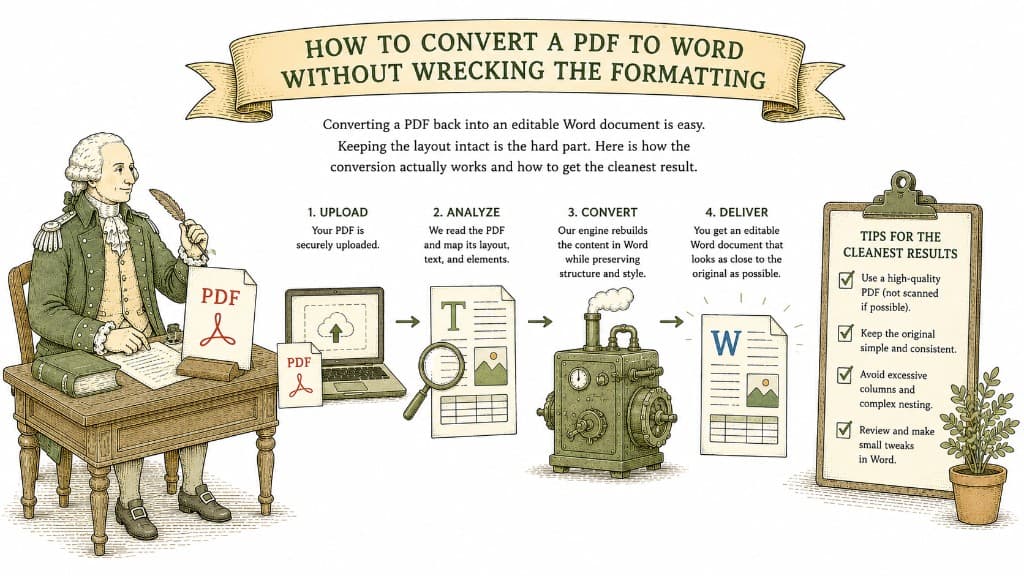
Converting a PDF back into an editable Word document is easy. Keeping the layout intact is the hard part. Here is how the conversion actually works and how to get the cleanest result.
3 min read

A PDF table looks like a spreadsheet but behaves like a picture. Here is what a good PDF-to-Excel conversion actually does, and how to get clean columns instead of a mess you have to retype.
3 min read
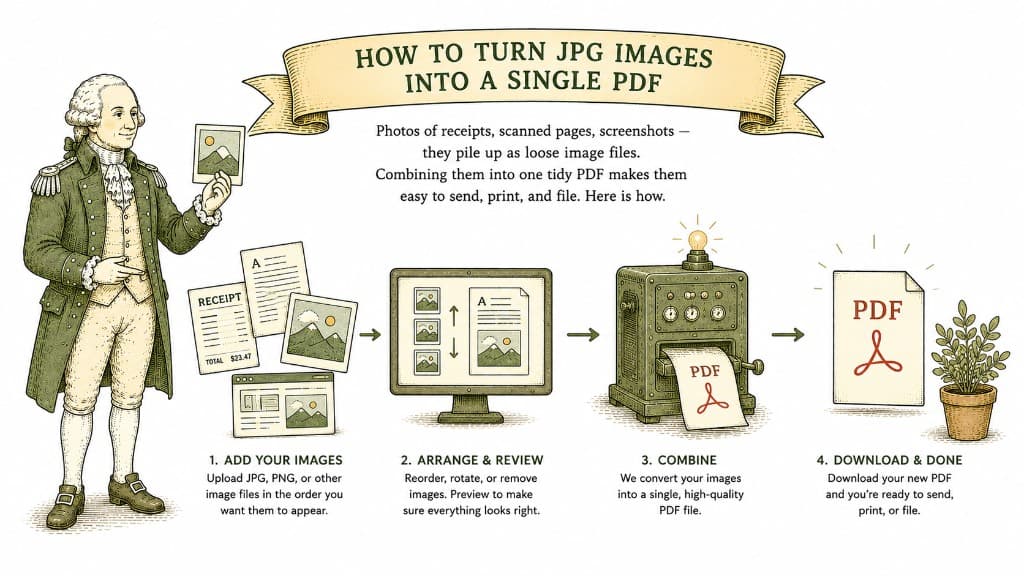
Photos of receipts, scanned pages, screenshots — they pile up as loose image files. Combining them into one tidy PDF makes them easy to send, print, and file. Here is how.
3 min read
