If you are emailing a document with personal information in it, a password is the simplest layer of protection you can add — and it takes about as long as writing the email. Here is what a PDF password actually does, what it does not do, and how to use it without locking yourself out.
A PDF password encrypts the file so it cannot be opened without the key. Email is not as private as it feels — messages pass through several servers, can be forwarded, and sometimes land in the wrong inbox. A password means that even if the file ends up somewhere it should not, the contents stay sealed.
Any time the document contains something you would not want a stranger reading: a tax form, a contract, financial statements, medical information, anything with account numbers or personal details. For a public flyer or a blog draft, a password is pointless friction. For a pay stub, it is a thirty-second habit worth keeping.
This is the part people get wrong. Sending the password in the same email as the file defeats the entire purpose — anyone who sees one sees both. Send the password through a different channel: a text message, a phone call, or a separate message on another app. The file travels one road, the key travels another, and someone would have to intercept both to read the document.
A weak password is barely better than none. Avoid the obvious — names, birthdays, "1234," the company name. A longer passphrase of a few unrelated words is both stronger and easier to relay over the phone than a tangle of symbols. And use a different password for different recipients when you can, so sharing a file with one person does not hand them the key to others.
A password protects the file from being opened by the wrong person. It does not hide information from the right person. Once your recipient opens it, they can see everything in it, copy it, and forward it. If part of the document should stay hidden even from the intended reader, that is redaction, not a password. And if you later need to share the file freely, remember you will have to remove the password — which only works if you still have it.

If you own the document and know the password, removing it is straightforward. Here is how it works, and where the honest limits are.
3 min read
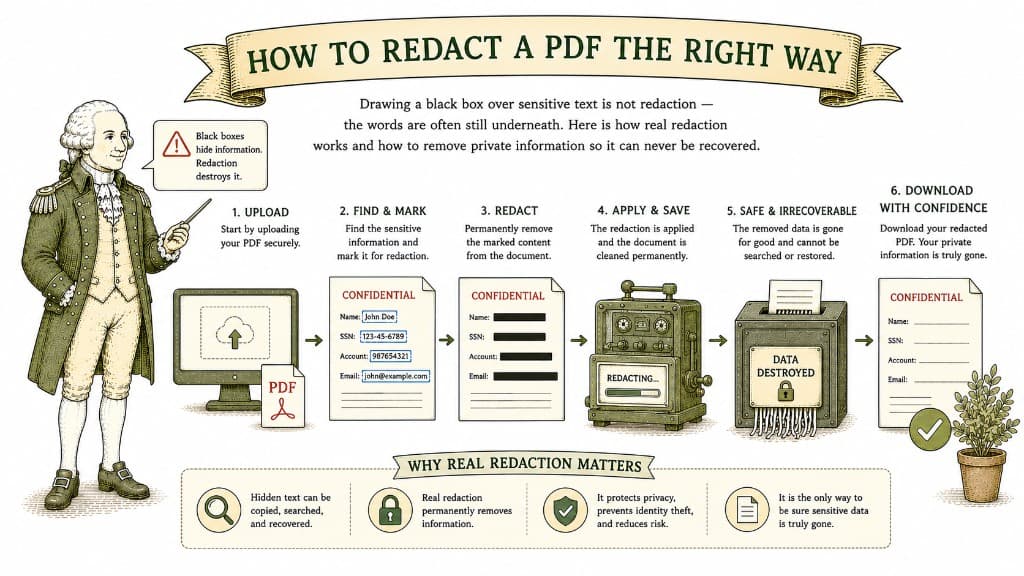
Drawing a black box over sensitive text is not redaction — the words are often still underneath. Here is how real redaction works and how to remove private information so it can never be recovered.
3 min read
Uploading a sensitive document to a website you found ten minutes ago is a real act of trust. Here is how to judge whether a tool deserves it before you hand over anything important.
3 min read
