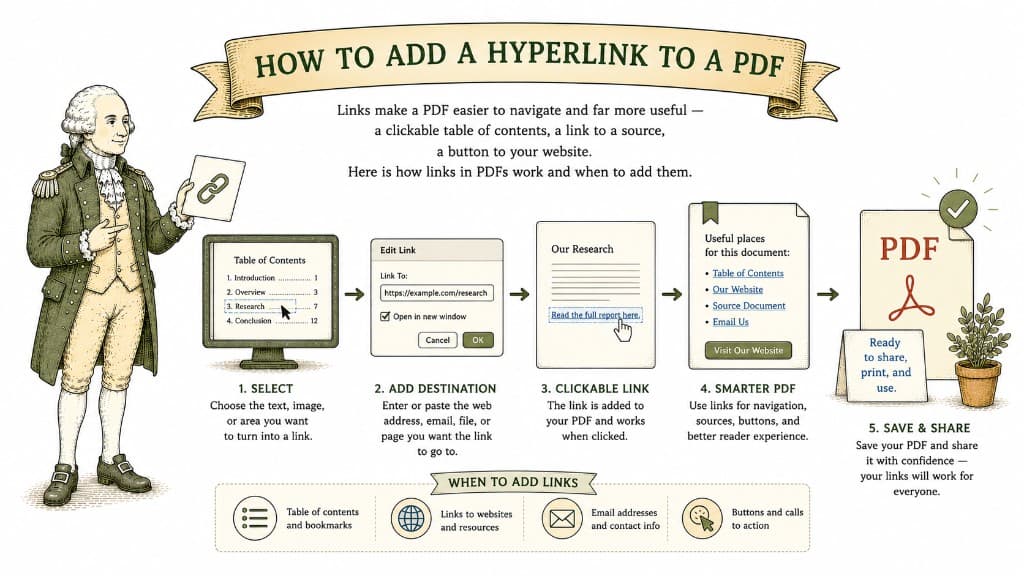
A PDF does not have to be a dead end. Links turn a flat document into something a reader can move through quickly — clicking from a contents list to the right section, or from a citation straight to its source. As Adobe notes in its guide to adding hyperlinks to a PDF, links improve readability by condensing text and pointing readers to supplemental information without cluttering the page.
There are really only two, and they cover almost everything.
An external link sends the reader to a web page — your company site, a reference, a video. It is the digital equivalent of writing "available at" and then handing someone the address.
An internal link jumps to another place inside the same PDF. This is what powers a clickable table of contents: tap a chapter title at the front of a long report and land on that chapter instantly, no scrolling. For manuals, contracts, and reports, internal links are the difference between a document people endure and one they actually use.

A fillable PDF lets people type directly into the fields and send it straight back. Here is what makes a PDF fillable and how to turn a flat form into one.
3 min read
Splitting a PDF pulls out exactly what you want and leaves the rest alone. Here is how to do it cleanly so nothing goes missing.
3 min read
You have a perfect document with one bad page. You do not need to rebuild the file — you just need that one page gone. Here is how to remove it cleanly.
3 min read