Some document habits quietly eat hours across a year — not because the tasks are hard, but because people do them the slow way out of habit. Here are the five biggest time-wasters in everyday PDF work, and the faster approach to each. None of these require special skill, just dropping a routine that stopped making sense.
Most wasted PDF time comes from a handful of repeated frictions. Fix them once and the saving compounds every week, because these are tasks people do over and over without questioning the method.
The print-sign-scan loop is the single most common waste in office document work. You print a clean digital file, sign it by hand, then scan it back into a worse-looking version — three steps and two machines to add one signature. Signing the PDF directly on screen does the same job in under a minute, with a cleaner result, and is accepted for nearly every everyday document.
People convert a PDF to Word, watch the layout scatter, and spend twenty minutes dragging text boxes back into place. Often the fix is upstream: starting from the original digital file instead of a scan, and matching expectations to the layout. A plain document should convert nearly perfectly — if it does not, the source, not your patience, is usually the problem.
Attaching five separate PDFs to an email is clumsy for you and worse for the recipient, who has to open, order, and keep track of all five. Merging them into one ordered document takes seconds and turns a scattered handful of files into a single thing the reader moves through in sequence. One clean attachment beats five loose ones every time.
The bounce-back, the "your message could not be delivered," the scramble to figure out why — all from an oversized attachment. Image-heavy PDFs blow past email limits routinely, and compressing them to screen quality clears the limit with no visible loss, because a screen cannot show the detail you are shedding. A few seconds of compression saves the whole back-and-forth.
A blank page, a sideways scan, a missing page number, one duplicate — and people re-export the entire document from scratch. Almost every small fix can be done directly on the finished PDF: delete the one page, rotate the one scan, stamp on the numbers, remove the duplicate. Editing in place instead of rebuilding turns a twenty-minute redo into a thirty-second fix.
Most of these fixes are a single $1 job on Dollar PDF — sign, merge, compress, split, and rotate are all there. Drop your file in, run the job, and pay a dollar once it is ready. You get the finished file back to download with no watermark, and no subscription waiting to renew.

Preview handles more than most people realize — for free, already installed. But it has real limits. Here is an honest map of where they are.
3 min read
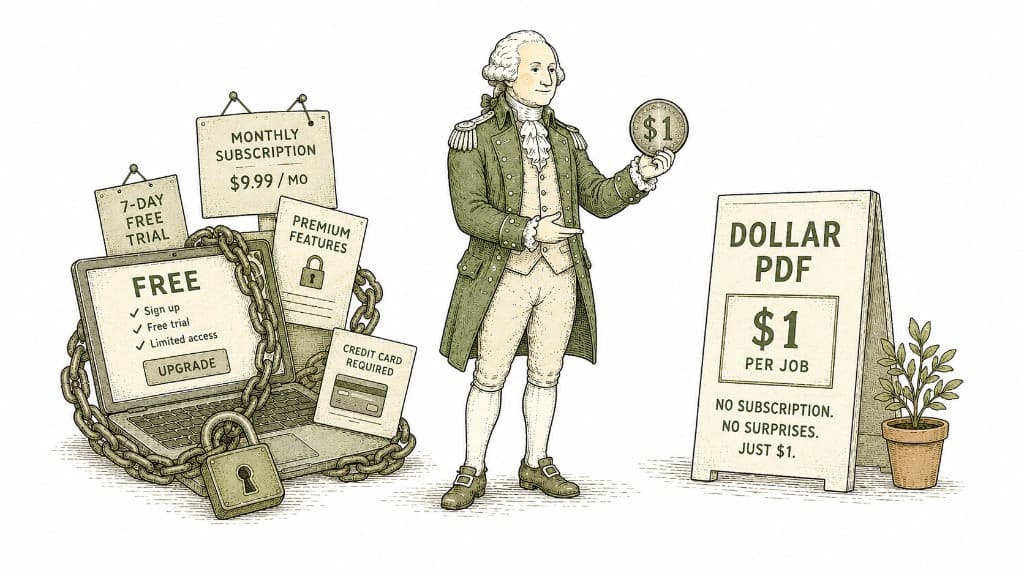
Most PDF tools are free until they are not — then they want your email, a free trial, and a monthly subscription. Dollar PDF charges one dollar per job and nothing else. Here is the thinking behind that price.
3 min read
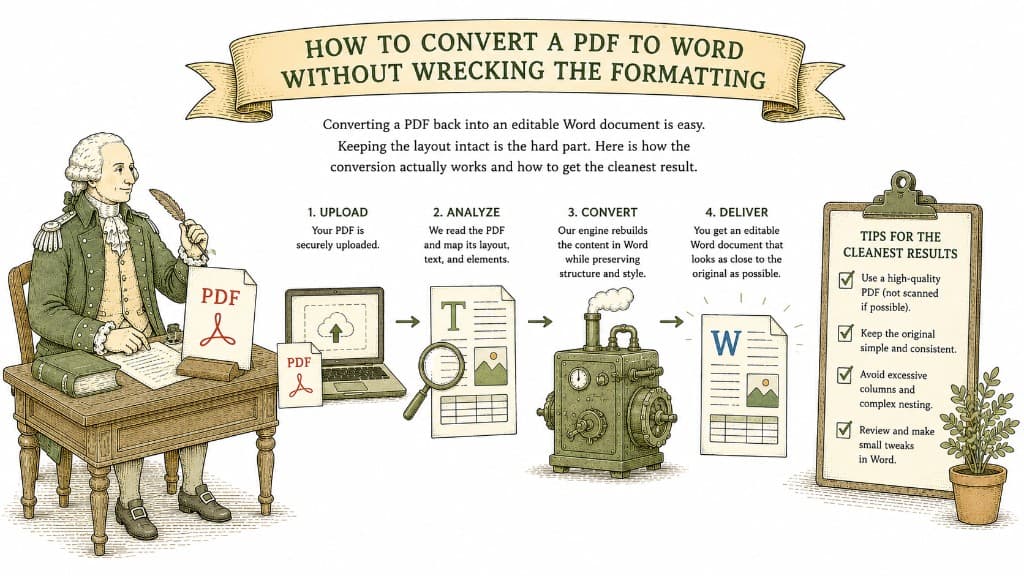
Converting a PDF back into an editable Word document is easy. Keeping the layout intact is the hard part. Here is how the conversion actually works and how to get the cleanest result.
3 min read
